7.3.10 Memorized Searches
The Memorized Searches tab within LSM accessible by navigating to Admin -> Preferences -> Memorized Searches, allows users to save and reuse their custom searches for faster filtering of the job list.
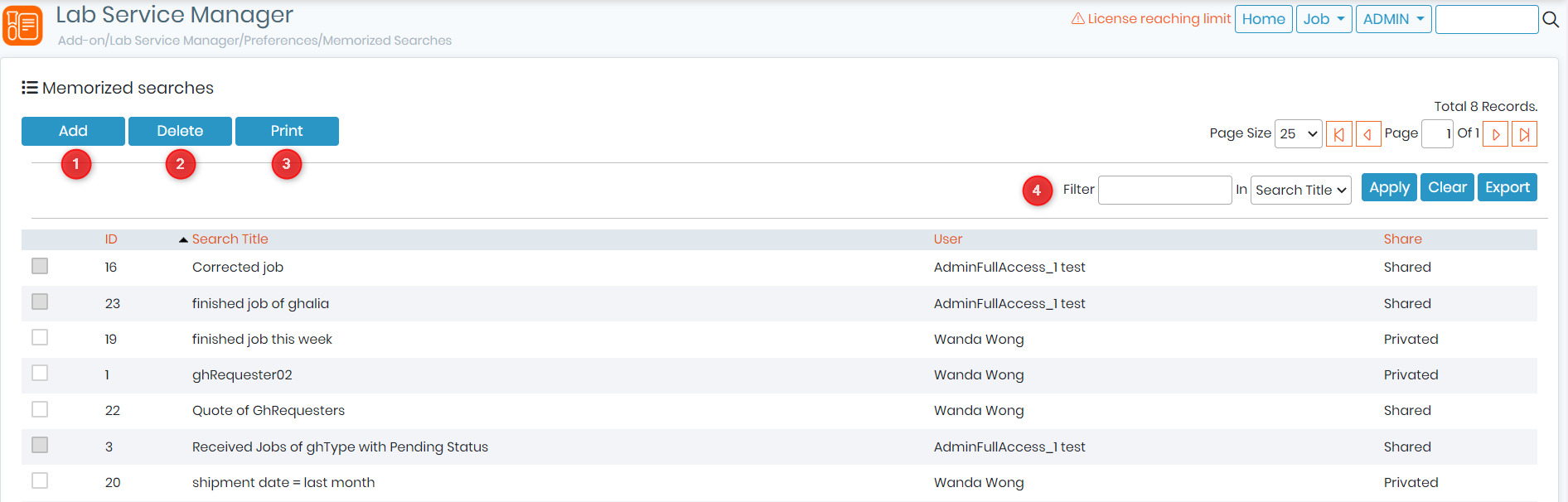
1. To add a new memorized search, you will need to go to your Job List -> Filter -> Memorize Current Search.
The list of memorized searches can be sorted by columns such as ID, Search Title, User and Share option. You can also search (4) for specific memorized searches using the filter located on the top right corner, selecting the column you want to search in.
To delete (2) or print (3) a memorized search, simply click on the corresponding button.
For example, if you frequently search for jobs with a specific sample type and test method, you can create a memorized search with those criteria, save it, and reuse it whenever needed. This saves time and increases efficiency by eliminating the need to manually enter the same search criteria every time.