7.3.5 Categories
NEW! Now you can add the test categories/Panels, with the help of this new option. You can also import the CSV of the test panels. Go to Admin 🡪 Preferences 🡪 Categories.
There are 2 ways you can add categories in the LSM:
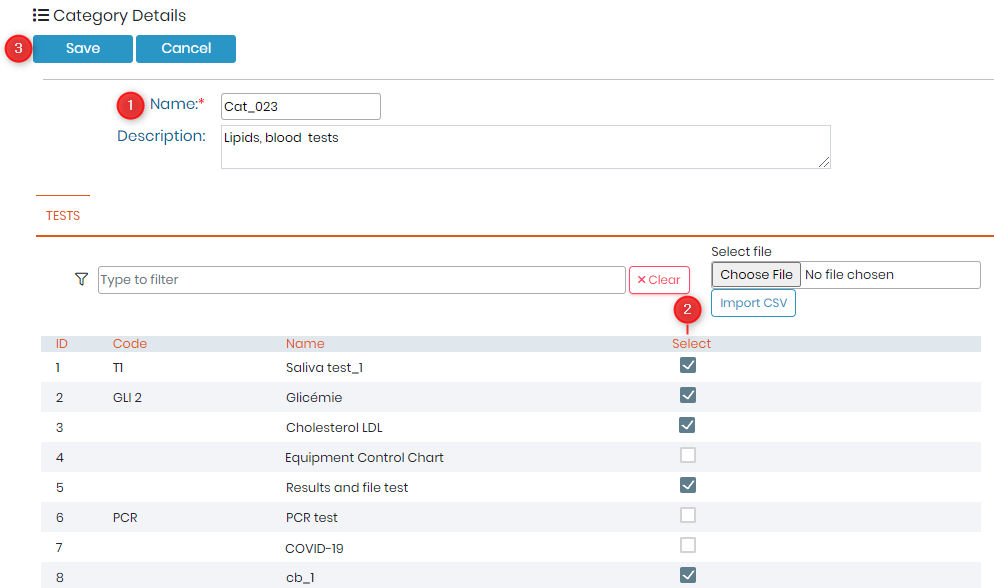
A) Add test in categories by ticking checkbox
- Click on "Add" button and write the name of your category and the description about it.
- Tick the check boxes in front of test that you would like to import in this category.
You can also filter by test names? ID or codes and tick the checkbox in front of the tests to add them in category. - Once done, click on save to create category with selected test in them.
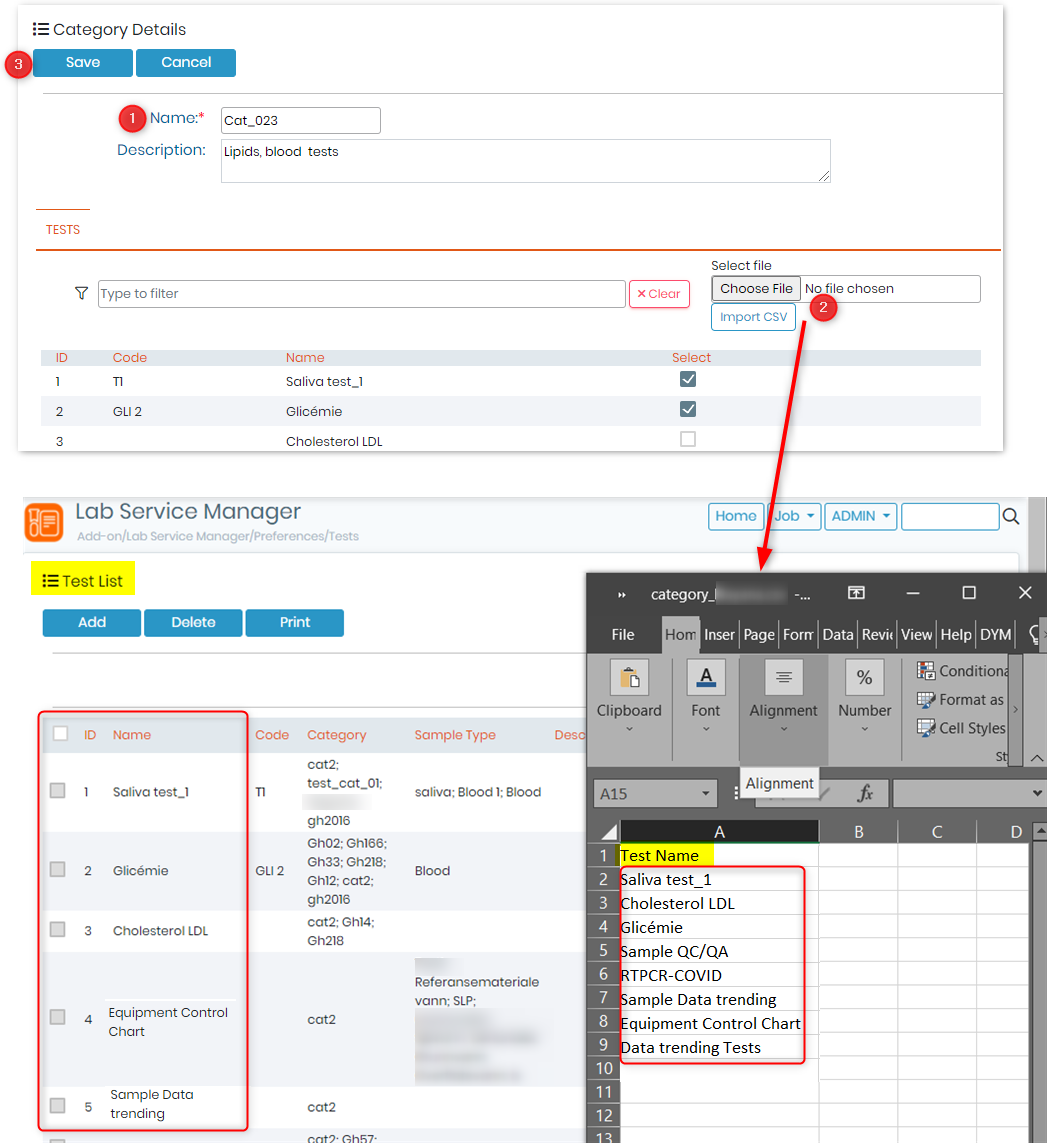
B) Import test in categories
- Click on "Add" button and write the name of your category and the description about it.
- Import the CSV file with all the test names that you would like to add in the category.
*These tests names SHOULD be present in the LSM, Admin 🡪 Preferences 🡪 Tests.
*The the first Row header, will not be taken into account while importing the CSV. - Once done, click on save to create category with selected test in them.